Monitor SSH Logins with Push Notifications
Hey folks, welcome back! First a joke:
Why did the Mexican start taking anti-anxiety medication?

For Hispanic attacks
Now, a quick tip on how to notify yourself if someone (hopefully yourself) logs into your server using SSH.
The Problem
I've migrated all my apps from various hosting providers to my own Hetzner bare metal server recently. It works fantastically, but now with all my eggs in a single, self-managed server, I got a bit worried about getting hacked.
In particular, I wanted to make sure that nobody gets into my server through SSH but me. So, I asked Claude to write me a little script that sends a notification to my phone via Pushover whenever an SSH session is started.
Here's the script:
# File at /opt/ssh-notify.sh

#!/bin/bash
if [ "$PAM_TYPE" = "open_session" ] \
    && [ -n "$PAM_RHOST" ] \
    && [[ ! "$PAM_RHOST" =~ ^(10\.|172\.(1[6-9]|2[0-9]|3[01])\.|192\.168\.) ]]; then
    curl -s \
        -F "token=YOUR_APP_TOKEN" \
        -F "user=YOUR_USER_KEY" \
        -F "title=SSH Login" \
        -F "message=SSH login by $PAM_USER from $PAM_RHOST on $(hostname)" \
        https://api.pushover.net/1/messages.json
fi
This script runs whenever an open_session event occurs, which means that someone logged into my server through SSH. It ignores login attempts from Docker and other local services from the same machine or from the private network by filtering out IPs in the private ranges of 10.*.*.*, 172.16.*.*, and 192.168.*.*. If an SSH session was started from an external IP, it sends me a message through the Pushover API, which has a generous free plan.
To enable the script, we need to make it executable with:
chmod +x /opt/ssh-notify.sh
And then we need to add it to our PAM ssh config with:
echo "session optional pam_exec.so /opt/ssh-notify.sh" >> /etc/pam.d/sshd
Now, when I open an SSH session with my server, I receive the following notification on my phone within seconds:
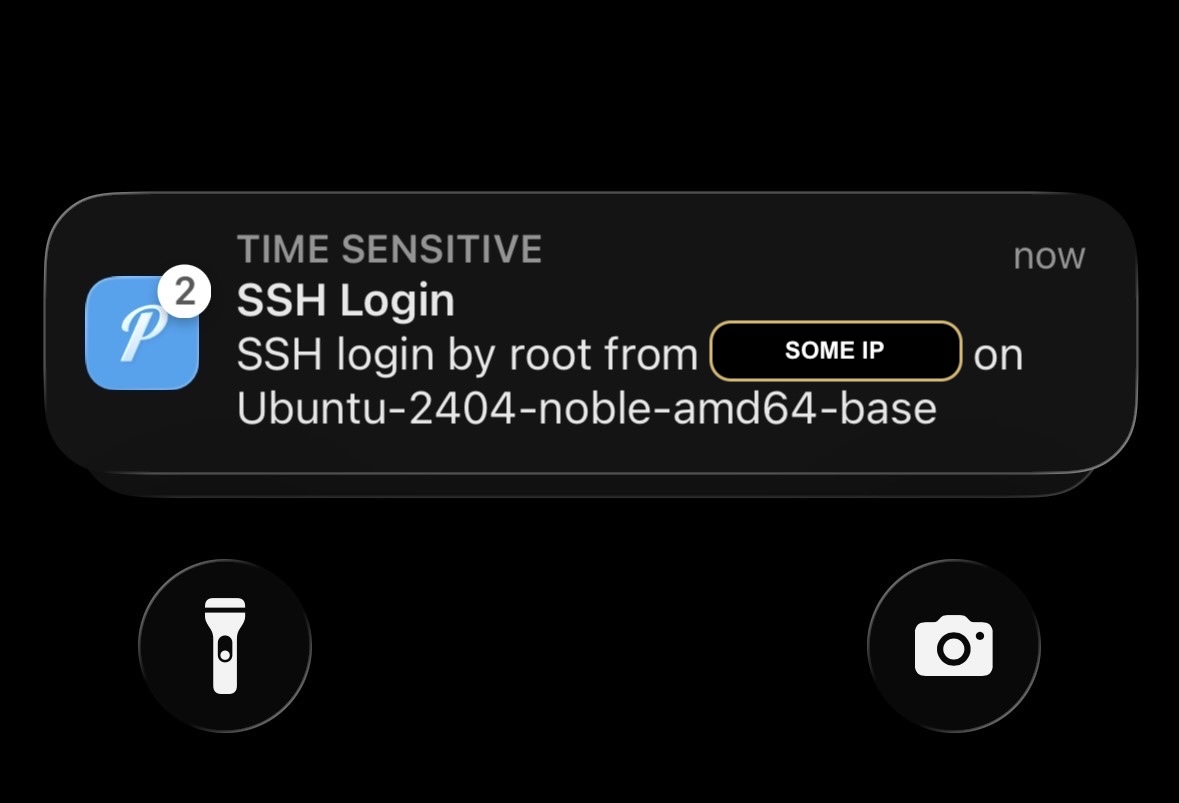
Nice, it works! "But why?" you might ask.
The PAM
The PAM is a suite of Pluggable Authentication Modules that handle authentication and session management across various services. It allows us to add scripts as "hooks" to specific services, all of which can be found in /etc/pam.d/.
The Linux PAM modules manage who can log in, how they can log in (e.g. password, ssh key), and what happens when they open or close a session.
By adding our script under /etc/pam.d/sshd, PAM will execute it whenever an SSH session opens or closes, hence the if condition on "$PAM_TYPE" = "open_session". We made the script optional, so the session will still open even if our script fails. We don't want Pushover to block our SSH sessions if it has an outage for example.
Conclusion
And that's it! I hope you enjoyed this article! If you want to support me, you can buy my book or video courses (one and two). Follow me on Bluesky or subscribe to my newsletter below if you want to get notified when I publish the next blog post. Until next time! Cheerio 👋